Propel EBT & SNAP Benefits
- 4.8
- Rating
- 10.00M
- Installs
- Free
- Price

 Analysis by App-foxy
Keeping track of food benefits can be surprisingly stressful. A balance that looks sufficient in the morning may be much tighter after a few essential purchases, and the usual alternatives—paper notices, a card receipt, or a state website—are not always convenient when I am standing in a supermarket aisle. That is where Propel EBT & SNAP Benefits makes its strongest case. My main reason to recommend it is simple: it turns checking benefit information into something I can do from the same phone I already carry, instead of making me search through paperwork or wait until I get home.
This is a free finance app from Propel Inc, aimed at people who use EBT, SNAP, or WIC benefits. It is available to everyone by age rating, and its broad reach is reflected in an average rating of 4.8 from around 700,000 ratings, with more than 10 million installs. Those figures do not automatically make an app good, but they do suggest that this is an established tool rather than a little-known experiment. After spending time with it, I see its value less as a replacement for an official benefits office and more as a practical day-to-day companion for planning food spending.
Why the balance-checking capability matters
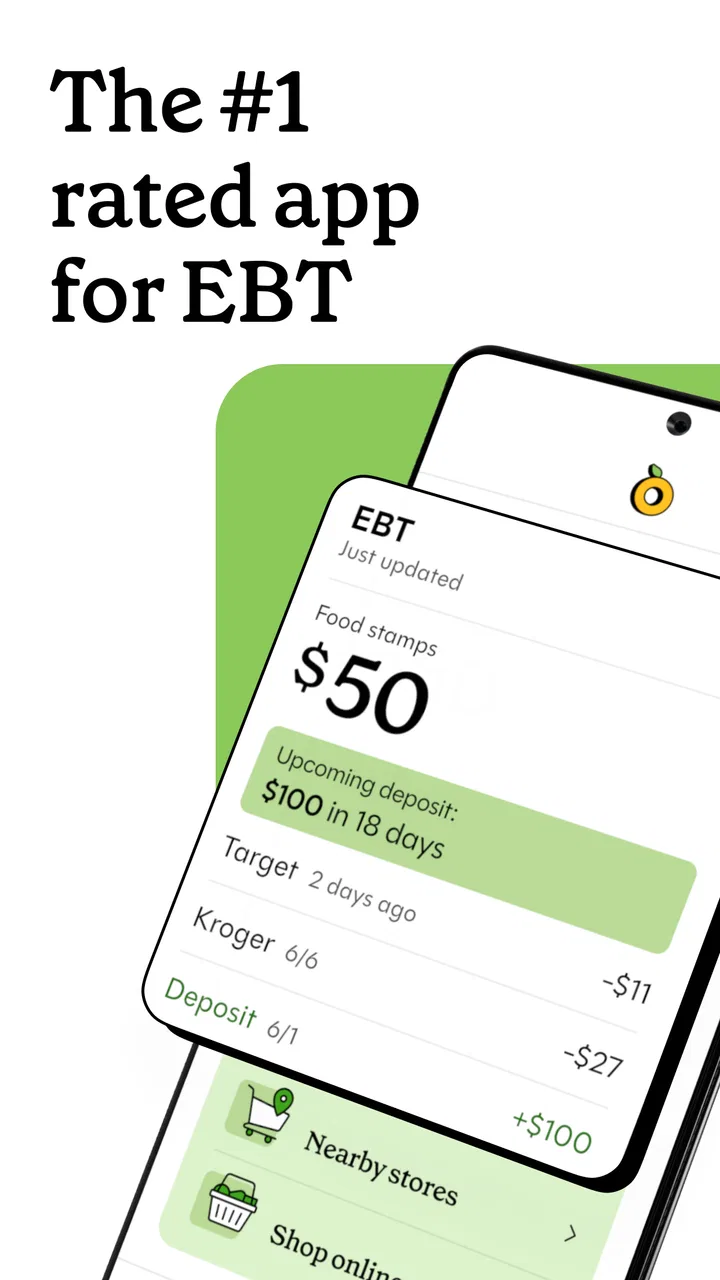
The most useful capability is the ability to check an EBT, SNAP, or WIC balance without treating every grocery trip like an administrative task. In practical terms, the app gives benefit users a more immediate view of the money or assistance available to them. That small change in timing matters. I can make a shopping decision before reaching the checkout rather than discovering a problem when the card is declined or the receipt shows less remaining than expected.
You May Also Like

 Blood Strike: 2.5 Anniversary
Blood Strike’s Loadouts Turn Every Drop Into a Tactical Gamble
A close look at Blood Strike’s custom loadouts: how fast access to signature weapons reshapes its battle royale rhythm, rewards preparation, and narrows the gap between fights.

 Pandora - Music & Podcasts
Pandora’s Music Is Easy to Start, but Harder to Recover
Pandora’s strength is its low-effort path from a seed to a station. Its weak spot is how much confidence it asks you to place in connection, setup, and quiet recovery.

 8 Ball Pool
 Is Built on Rivalries, Rematches, and Routine
A close look at the rivalries, rematches, shared routines, and unanswered safety questions that turn a quick pool match into a persistent mobile community.

 Samsung Music
’s Quiet Strength Is Playing What You Already Own
Its reach comes less from spectacle than from dependable access to a personal library. That simplicity is both the app’s strongest retention engine and its ceiling.

 AccuWeather: Weather Radar
AccuWeather Review: A Quick, Clear Forecast for Everyday Decisions
For everyday plans, the best forecast is the one you can understand quickly. AccuWeather makes rain timing, radar, and local conditions easy to act on, with a few trade-offs.

 Hill Climb Racing
Why Hill Climb Racing Still Turns Crashes Into One More Run
A tiny car, a bumpy hill and one more upgrade: Hill Climb Racing keeps resurfacing because its simple chaos makes every near-miss feel personal.
More From Our News Desk



I especially like this capability because it supports planning, not just emergency checking. A balance is only useful when it changes what I do with it. Before shopping, I can use the current figure to decide whether to buy everything in one trip, divide the list across several visits, or postpone a nonessential item. For someone managing a strict food budget, that is more useful than a collection of broad money-saving suggestions with no connection to the actual benefits available.
The app also brings SNAP and WIC into the same general experience, which is helpful for households dealing with more than one type of assistance. The details of those programs are not identical, so I would still treat the app as a convenient view rather than the final authority on eligibility or program rules. Its strength is reducing friction around routine awareness. It helps answer the immediate question, “What can I reasonably spend today?”
That distinction is important. I would not use any mobile app as the only source for a serious dispute, a change in eligibility, or a question about an official case. For those situations, the relevant state or program channel remains the safer place to verify the decision. Propel EBT & SNAP Benefits is at its best when I need a quick, usable picture of my benefits during ordinary life.
Turning a balance into a shopping plan
A balance check becomes more valuable when I connect it to a simple routine. I would open the app before writing the final shopping list, separate necessities from flexible purchases, and leave a little room for an item whose price may vary. This is one of the less obvious benefits of having the information close at hand: I am less likely to build a cart based on an old number from memory.
Another useful habit is checking after a significant shopping trip rather than waiting until the next one. That creates a clearer mental link between what I bought and what remains. It can also reveal whether a household’s spending pattern is changing. The app does not need to become a complicated budgeting system for this to help; a quick check at the right moments can prevent a much bigger problem later.
I would also avoid assuming that a displayed balance means every item in a cart will be covered. Eligibility rules, item restrictions, pending transactions, and timing can affect what happens at checkout. The practical lesson is to use the balance as a planning guide and keep a backup payment method or a smaller alternative list when possible. That is not a flaw unique to this app, but it is an important limitation of relying on any digital balance display.
How it feels in everyday use
The app’s role is straightforward: open it when I need benefit information, use that information to make a decision, and return to it when my circumstances change. That simplicity is a real advantage for users who do not want to navigate a full financial-management platform. I would rather have a focused tool for EBT, SNAP, and WIC than a general budgeting app that requires me to manually recreate benefit details.
At the same time, a focused app has boundaries. It is not the same thing as a bank account manager, a receipt-scanning budget tool, or a complete household finance dashboard. Someone who wants investments, bill tracking, debt planning, and detailed spending categories will probably find a conventional personal-finance app more suitable. Propel EBT & SNAP Benefits makes sense when benefits are the center of the question, not when they are just one small line in a much larger financial picture.
The store summary also presents the app as a way to manage food stamps and save money with benefits. I interpret that promise in a practical way. The app can help me make better decisions by keeping benefit information accessible and by making me more aware of available resources. It cannot make groceries cheaper by itself, guarantee that a purchase qualifies, or replace careful comparison shopping. The savings come from better timing, fewer surprises, and more deliberate use of the assistance—not from magic discounts.
That is why I would set it up before I urgently need it. An app that helps with a benefit balance is most useful when the account and access are already working. Waiting until I am at the register is the worst time to discover a login problem, an outdated detail, or uncertainty about how a transaction will appear. A calm first setup at home gives me a better chance of using the tool confidently later.
A realistic supermarket scenario
Imagine I am shopping near the end of the month with a list containing milk, vegetables, cereal, and a few household staples. I remember roughly how much assistance should remain, but I do not trust my memory because I made several smaller purchases during the week. I check Propel EBT & SNAP Benefits before leaving. The balance changes my plan: I keep the essentials, compare package sizes more carefully, and move one flexible item to a later trip.
At the store, I can also use the app as a reminder to stay within the amount I intended to spend. That does not mean I stare at the screen while shopping or treat the number as a perfect live total. It simply gives me a current reference point. If prices are higher than expected, I have a better basis for adjusting the cart before checkout.
After paying, I would check again when the transaction should be reflected. If the balance does not look right, I would keep the receipt and use the official support route for clarification rather than guessing. This two-check routine—before shopping and after a meaningful purchase—is more useful than opening the app randomly. It turns a basic feature into a repeatable workflow.
For a household with WIC needs, the same principle applies, although the planning questions may be different. I would pay close attention to which items are intended for the benefit and avoid assuming that a general grocery balance answers every WIC question. The app can be a convenient starting point, but the program’s specific rules still matter at the shelf and at checkout.
Where the app saves effort—and where it does not
The clearest advantage is convenience. Instead of switching between paper records, a card receipt, and a government webpage, I have a dedicated place to begin. That can be especially helpful for people who shop frequently, share food planning with another household member, or simply have trouble remembering the latest balance.
Its free price also lowers the barrier to trying it. I do not have to commit money just to find out whether a mobile balance tool fits my routine. The age rating of Everyone makes the app broadly approachable, although practical comfort with account access and smartphones will still vary from person to person.
The large user base is another reassuring sign, but I would not confuse popularity with perfect reliability. Benefits are personal and time-sensitive. A problem with a balance, a transaction, or a program status can have real consequences, so I would always compare an unexpected result with the receipt and the official program information. The app earns my trust as a convenience layer, not as an excuse to stop checking important details.
There is also a mental trade-off. Because the app makes checking easy, I might be tempted to look at the balance repeatedly without changing my shopping behavior. That adds activity without adding control. The better approach is to connect each check to a decision: make the list, adjust the cart, plan the next trip, or investigate an unexpected transaction.
Users who are uncomfortable entering benefit-related information into a third-party app may prefer to rely only on official state services. That choice is reasonable. Convenience is not the same as necessity, and people should choose the access method they understand and trust. I would read the sign-in and account screens carefully, use a secure phone, and avoid sharing credentials with anyone who does not need them.
How it compares with the usual alternatives
The most obvious alternative is checking the balance through an official state portal or telephone service. Those options may be preferable when I need authoritative case information, formal assistance, or a detailed explanation of a problem. Propel’s advantage is the everyday experience: it is designed around quick access from a phone rather than a broader administrative process.
A paper receipt is faster in one narrow situation because it appears immediately after a purchase. Its weakness is that it does not help much before shopping, and receipts are easy to lose. The app is more useful for planning ahead, while the receipt remains valuable for confirming what happened. I would use both rather than treating them as competitors.
A general budgeting app can show spending across accounts, bills, and cash, but it may require manual work to represent benefits accurately. Propel is more focused on the benefit side of food budgeting. If my main problem is knowing what assistance is available for groceries, that focus is an advantage. If my main problem is controlling rent, subscriptions, debt, and savings together, a broader finance app would be the better choice.
There are also people who will not gain much from it. Someone who rarely uses EBT, SNAP, or WIC, or someone whose benefits are already easy to manage through a preferred official channel, may have no reason to add another app. Likewise, a user looking for coupon discovery alone should not choose it expecting a full shopping-deals experience. Its usefulness depends on the benefit-management problem being real and recurring.
Who gets the most value from it
I think the strongest audience is a person who wants a quick way to stay aware of benefit balances while making regular food purchases. That includes users who shop in several smaller trips, households where grocery money must be stretched carefully, and anyone who has been surprised by a lower-than-expected balance. The app is also a sensible option for a caregiver or family member who helps organize shopping, provided account access is handled appropriately.
It can be particularly useful during periods when spending is irregular. A change in household needs, an unusually expensive grocery trip, or a month with more frequent shopping can make memory-based budgeting unreliable. Having a dedicated balance view gives me a firmer starting point for decisions. The benefit is not sophisticated financial analysis; it is reducing uncertainty at the moments when uncertainty is most expensive.
I would recommend it less strongly to someone who needs official case management, detailed eligibility guidance, or a complete record of every financial obligation. In those cases, the app should be one small tool at most. I would also skip it if I am unwilling to maintain secure account access or if I already have a trusted method that answers the same question with less effort.
Propel Inc has kept the product’s identity clear: this is a finance app built around EBT, SNAP, and WIC use rather than a general-purpose money platform. It was released on December 24, 2015, and the current version is 8.13.0. It supports Android 6.0 and later, which makes it accessible to many older devices, though the experience will naturally depend on the phone and operating system I use.
That longer presence and broad adoption make it easier for me to consider as a practical everyday option, but I still judge it by the workflow it creates. Does it help me check before shopping? Does it reduce the chance of relying on an outdated balance? Does it fit alongside receipts and official support when something looks wrong? If the answer is yes, its focused design works in its favor.
My recommendation after using it
I recommend Propel EBT & SNAP Benefits to people who want a convenient mobile way to stay on top of EBT, SNAP, or WIC information. Its best feature is not flashy: it gives me a more usable moment-to-moment view of benefits, and that can lead to better grocery decisions. The free access makes trying it low-risk, while the Everyone rating and support for Android 6.0 or later make it approachable for a wide range of users.
My advice is to use it as part of a small system. Check before a major shop, keep the receipt afterward, and consult the official program channel when a balance or transaction seems wrong. Do not treat the displayed figure as permission for every item in the cart, and do not expect it to replace a full financial planner. Used with those limits in mind, it can remove a frustrating amount of guesswork.
In the end, I see Propel EBT & SNAP Benefits as a practical companion rather than an all-purpose finance solution. It is most valuable when a person needs benefit information at the exact point where a shopping decision is being made. If that is a recurring problem for you, I think the app is worth trying. If you need formal case support or broad money management, keep looking beyond it—or use it only alongside the service that handles those bigger needs.
FAQs for Propel EBT & SNAP Benefits
01What is Propel EBT & SNAP Benefits and how does it work?
Propel EBT & SNAP Benefits is an app designed to help users manage their EBT and SNAP benefits efficiently. It provides features such as viewing your balance, tracking purchase history, and finding nearby stores that accept EBT. The app aims to make accessing and managing benefits simpler and more convenient for users.
02Is Propel EBT & SNAP Benefits secure to use for managing my benefits?
Yes, Propel EBT & SNAP Benefits is designed with security in mind. The app uses encryption to protect your personal information and requires a secure login to access your account details. It’s important to ensure you download the app from a trusted source to maintain security.
03Do I need an internet connection to use Propel EBT & SNAP Benefits?
While some features of Propel EBT & SNAP Benefits, such as checking your balance and transaction history, require an internet connection, the app also offers offline functionalities. You can save certain information for offline access, ensuring you can manage your benefits even without active internet access.
04Can Propel EBT & SNAP Benefits help me find stores that accept EBT?
Yes, one of the key features of the Propel EBT & SNAP Benefits app is its ability to help you locate nearby stores that accept EBT. The app uses your location to provide a list of participating retailers, making it easier for you to plan your shopping trips efficiently.
05Is Propel EBT & SNAP Benefits free to use, and are there any in-app purchases?
Propel EBT & SNAP Benefits is completely free to download and use. There are no hidden fees or in-app purchases required. The app is designed to assist users in managing their benefits without any additional costs, ensuring accessibility for all users.
Pros
- User-friendly interface for quick access.
- Real-time balance updates are available.
- Supports multiple EBT card types.
- Secure login with fingerprint option.
- Detailed transaction history provided.
Cons
- Occasional sync issues with bank servers.
- Limited customer support availability.
- No offline access to balance info.
- Frequent app updates required.
- Advertisements can be intrusive.

Propel EBT & SNAP Benefits
Gallery